Tax & Annual accounts
Tax return INK1
Under Basis for tax return - Tax return INK1, enter the private income and any deductions in addition to the information in Sole proprietorship. The private income statements are also used in the profit/loss planning, in order to calculate a taxable result based on the different options.
- Click on each of the sections in the Calculations view and make your desired adjustments in the view on the right.
If you don't want to fill it in manually, you can download the pre-printed form from Skatteverket. Most of the documents are then filled in automatically. See further down the page.
- When a field corresponds to a field on tax form INK1, the values will be transferred there. You can find the INK1 tax form under Year-end closing - Tax forms.
- The information and adjustments that are specified in Tax return INK1 also affect the taxable result found under the Tax computation tab.
Under Calculate tax - Tax return INK1 - Basic information, you can upload the pre-printed files Income tax return 1 (INK1), Specification to income tax return and Preliminary tax calculation from Skatteverket They will then automatically fill in your pre-printed data under the different pages and sections of Tax return INK1.
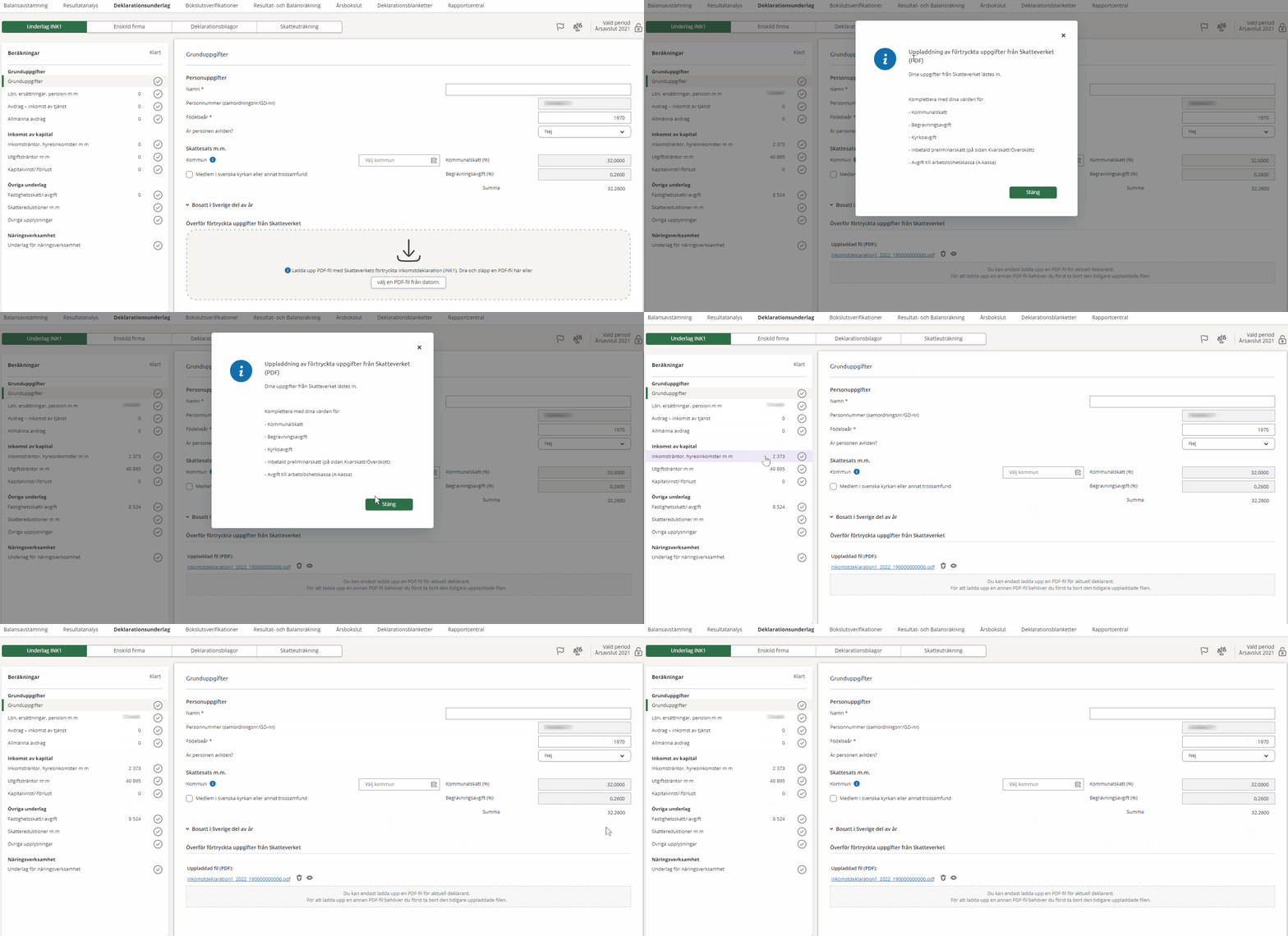
Note that some information is not possible to fetch and needs to be entered manually. This applies to:
- Municipal tax
- Burial fee
- Church tax
- Paid preliminary taxes (on the Tax arrears/refund page)
- Unemployment insurance fund (A-kassa) fees
As certain fields on the income tax return are divided into several sub-fields, we have chosen to transfer amounts to the most common field. It is especially important to adjust the field Sum salary, benefits, sickness allowance etc. (1.1) if the amount also consists of sickness benefit, unemployment insurance or income-related sickness and activity allowance.
A way to troubleshoot differences and detect any errors in the tax calculation can be to add the values to the Skatteverket's Calculate tax service.
The pre-printed income tax return can be found on Mina sidor on the Swedish Tax Agency's website. You find the income tax return as a pdf on the page Taxes and tax returns.
Please note that the pre-printed declaration will not be available until some time in March.
If you get an error message when you try to upload your pre-printed INK1 from Skatteverket, see the topic I get an error message when I try to upload the pre-printed declaration?..